Claude Can Now Turn Your Artifacts Into Desktop Apps. Only 1 of 3 Permission Levels Lets an App Change Your Files Without Asking Each Time. | Edition 398
Edition 398 — Build a small tool in a chat, give it its own icon on your Mac or Windows PC, and know what to say when it asks for access.
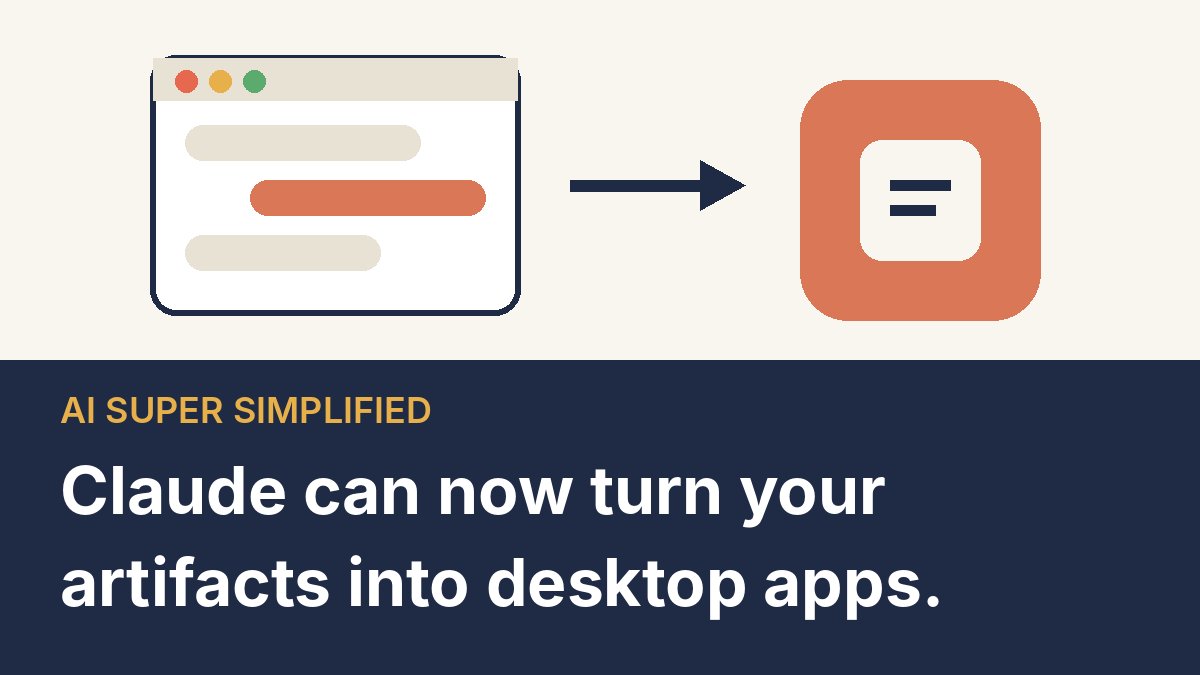
Ask Claude for a small tool, like a pricing calculator, a meeting timer or a daily checklist, and it can build one as an artifact right in the chat. Now Anthropic has added a way to take that tool out of the chat window: a button that installs it as an app on your Mac or Windows PC, with its own icon and its own window.
The feature is called Install as app, and it’s in beta. Each installed app runs at one of three permission levels, and only one of them lets it run programs or change your files without asking each time. That’s the one to understand before you click yes.
How it works
First, update Claude for Mac or Windows. Then describe the tool you want to Claude, try it as an artifact in the chat, and choose Install as app from the Share menu. Anthropic says the feature is rolling out in beta on all plans. If you don’t see the option, update the app; on Team and Enterprise plans, ask an owner whether it’s turned on.
Once installed, the app:
- Gets its own window. It gets its own icon and opens in its own window instead of inside Claude.
- Can use Claude and your connectors. A tool that drafts a reply or summarizes a document can call Claude to do it.
- Updates itself. When you edit the underlying artifact, the app updates automatically.
- Uses your allowance. Requests the app makes to Claude count toward your plan’s usage limits.
- Needs a connection. You have to be online and signed in to Claude to open it.
Not everything can be installed. Anthropic says Claude Docs, Slides and Sheets artifacts can’t, and HIPAA-ready organizations and hybrid deployments can’t use the feature.
The 3 permission levels
- Default. The app can only do what it could do in a web browser.
- App permissions. The app can ask for common features that Claude can tightly control, such as a window that stays on top of others, a keyboard shortcut that works anywhere on your computer, notifications, or an item in your menu bar or system tray.
- Full computer access. The app can ask to run programs and to read, change or delete your files without asking each time.
Full access has an extra rule about who made the app: Anthropic says you can only give it to apps you made yourself or, on Team and Enterprise plans, apps made by people in your organization. And when you click Allow, it covers only the current version of the app, so Claude asks again after every update, even your own edits.
Read it with care
Anthropic says it doesn’t review apps before you install them, and tells users to give full access only to apps they trust. One detail is easy to miss: if part of an app comes from another website, Anthropic says that part can change without Claude asking you again. And because Claude asks again after every edit, it’s easy to start clicking yes out of habit. This is a beta, so expect details to change.
If you run a team
Team and Enterprise admins can turn app permissions and full access on or off for their organization. On Team plans the feature is on by default with full access off. On Enterprise, it’s off until an owner turns it on. Check your settings before people start installing tools that ask for more.
3 rules before you click Install
- Start at Default. A calculator or a checklist usually needs nothing a browser couldn’t do, so you can answer Don’t allow if it asks for more. You can change that later from the app’s Permissions menu.
- Say yes to a feature only when you need it. Approve App permissions when the app needs one of them for a job you want done, like a reminder notification or a shortcut key.
- Keep full access for apps you can explain. This is our rule, not Anthropic’s: grant it only to an app you built, and only after you’ve asked Claude, in the chat, to list in plain English which files and programs the app touches and why, and whether any part of it loads from another website. When Claude asks again after an edit, read the request again before you approve it.
The prompt below helps you plan your first one. Tell it about a task you repeat, and it interviews you one question at a time, then writes the request to paste into Claude and tells you the lowest permission level the app should need.
| Claim | What we found | Source |
|---|---|---|
| Mac and Windows, beta | Install as app is rolling out in beta in Claude for Mac and Windows, on all plans | Anthropic, “Turn artifacts into Mac and Windows apps,” claude.com |
| Own icon, own window | An installed artifact gets its own icon and opens in its own window instead of inside Claude | Anthropic, “Turn artifacts into Mac and Windows apps,” claude.com |
| Claude + connectors | Each app can use Claude and your connectors, and updates automatically when the artifact is edited | Anthropic, “Turn artifacts into Mac and Windows apps,” claude.com |
| Usage limits | Requests the app makes to Claude count toward your plan’s usage limits | Anthropic, “Turn artifacts into Mac and Windows apps,” claude.com |
| 3 permission levels | Default (what a browser could do) · App permissions (e.g. always-on-top windows, global shortcuts, notifications) · Full computer access (run programs; read, change or delete files without asking each time) | Anthropic, “Turn artifacts into Mac and Windows apps,” claude.com |
| Menu bar or system tray | Adding a menu bar item (Mac) or system tray icon (Windows) is one of the features an app has to ask for | Claude Help Center, “Install an artifact as an app,” support.claude.com |
| Not on web, Linux or mobile | Installed apps are available only in Claude for Mac and Claude for Windows | Claude Help Center, “Install an artifact as an app,” support.claude.com |
| Defaults by plan | On by default for Team, with full access off; on Enterprise, off until an owner turns it on | Anthropic, “Turn artifacts into Mac and Windows apps,” claude.com |
| Who can get full access | Only apps you made or, on Team and Enterprise, apps made by people in your organization | Anthropic, “Turn artifacts into Mac and Windows apps,” claude.com |
| Asks again | Permission covers only the current version; Claude asks again after every update, even your own edits | Anthropic, “Turn artifacts into Mac and Windows apps,” claude.com |
| Outside content | If part of an app comes from another website, that part can change without Claude asking again | Anthropic, “Turn artifacts into Mac and Windows apps,” claude.com |
| No review | Anthropic doesn’t review apps before you install them | Anthropic, “Turn artifacts into Mac and Windows apps,” claude.com |
| Exclusions | Claude Docs, Slides and Sheets can’t be installed; HIPAA-ready organizations and hybrid deployments can’t use the feature | Anthropic, “Turn artifacts into Mac and Windows apps,” claude.com |
| Online only | You need to be online and signed in to Claude to open an app | Anthropic, “Turn artifacts into Mac and Windows apps,” claude.com |
| Admin controls | Team and Enterprise admins can turn app permissions and full access on or off for their organization | Anthropic, “Turn artifacts into Mac and Windows apps,” claude.com |
What would you put on your desktop?
Hit reply and tell me the one small tool you’d install first. I read every response.